> For the complete documentation index, see [llms.txt](https://layer3xyz.gitbook.io/layer3-updated-docs/llms.txt). Markdown versions of documentation pages are available by appending `.md` to page URLs; this page is available as [Markdown](https://layer3xyz.gitbook.io/layer3-updated-docs/builder/guides/guides--advanced-onchain-action-configuration.md).
# Advanced Onchain Action Configuration
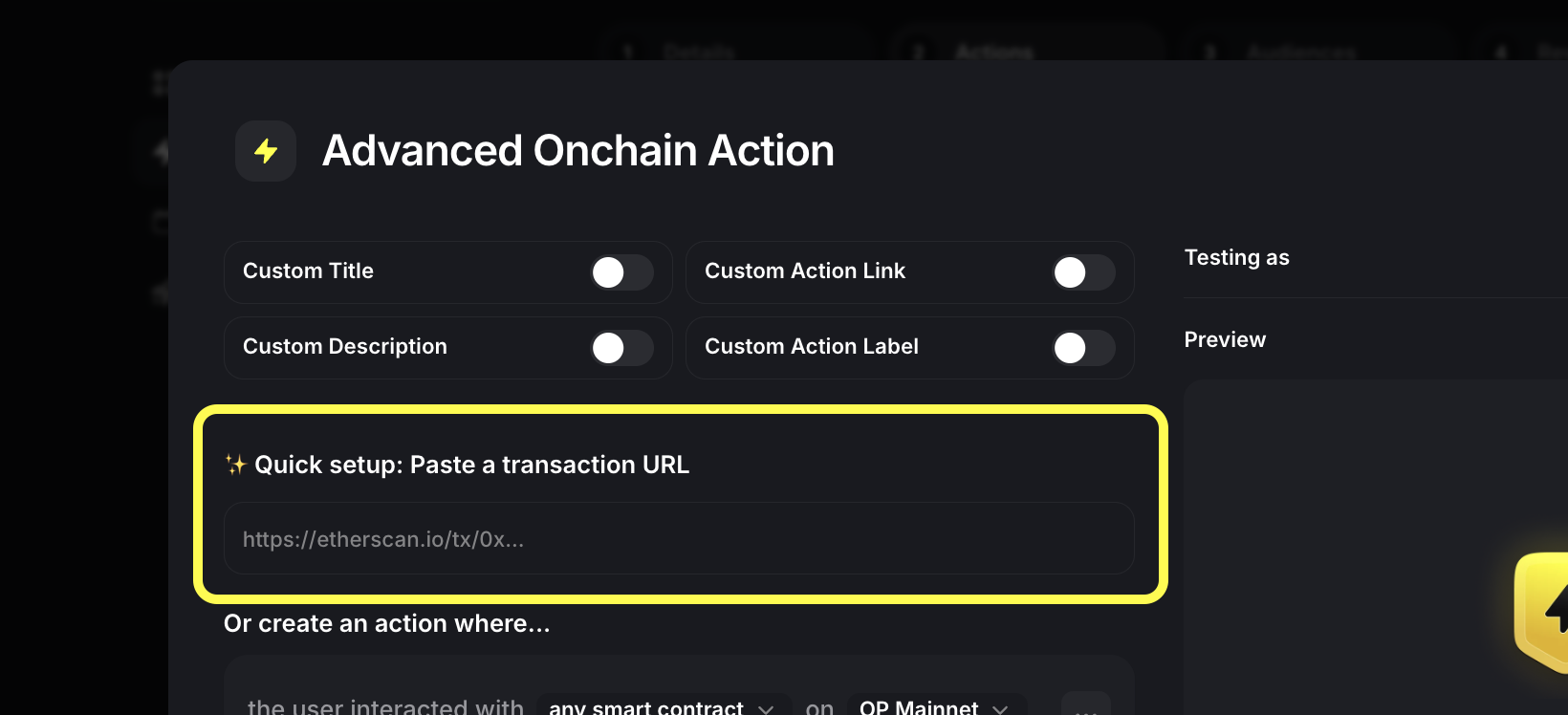
**Quick Setup with Transaction URL**
The fastest way to create an onchain action is using a block explorer URL:
1. Create an "Advanced Onchain Action"
2. Use the Quic setup
3. Paste a transaction URL from Etherscan, Basescan, etc.
4. The builder automatically configures the relevant contract addresses and methods
You can also use the "**Magic Onchain Action**" to quickly configure a complex multichain condition as easily as pasting a few links. Feels like magic!
{% hint style="info" %}
When creating actions by pasting URLs, always review, test (and tweak if necessary) the configuration once it auto-populates
{% endhint %}
### Manual Configuration
#### Basic Setup
1. Select "Or create an action where..."
2. Configure these basic parameters:
* Contract address ("the user interacted with")
* Network ("on" dropdown - e.g., Base, OP Mainnet)
* Method ("any method" or specific method ID)
#### Adding Conditions
Click "Add condition" to verify specific details about the interaction:
**Method Called**
* Verify a specific contract method was called
* Enter the method ID or select from common methods
**Token Transfers**
* Track specific token movements
* Configure:
* Token contract address
* Amount (exact or minimum)
* From/To addresses
#### Complex Rules
You can combine multiple conditions using AND/OR logic:
```
Contract interaction AND
Token transfer AND
Minimum ETH value
```
### Best Practices
1. **Time Windows**
* By default, verification looks for active transactions from the latest blocks.
* You can toggle "verify must be in 60 mins of user viewing step" to further ensure a new user viewing your Activation actively takes your onchain action (vs. verifies one they did earlier)
2. **Testing**
* Use the "Verify" button to test your configuration
* Test with "Testing as" wallet address
* Watch for common errors in Preview panel
3. **Wallet Requirements**
* You can set "Required wallet" to specify which wallet must complete the action
* Recommend using "Any wallet" for flexible verification unless you specifically want to verify a specific wallet app was used.
Need more help? See Support.