> For the complete documentation index, see [llms.txt](https://layer3xyz.gitbook.io/layer3-updated-docs/llms.txt). Markdown versions of documentation pages are available by appending `.md` to page URLs; this page is available as [Markdown](https://layer3xyz.gitbook.io/layer3-updated-docs/builder/guides/guides--creating-your-first-activation.md).
# Creating your first Activation
### Before You Start
* Your community space must be unlocked (see Getting Started)
* Have a clear goal in mind. What outcome are you trying to drive?
* Recommended: have your token rewards ready to incentivize user actions
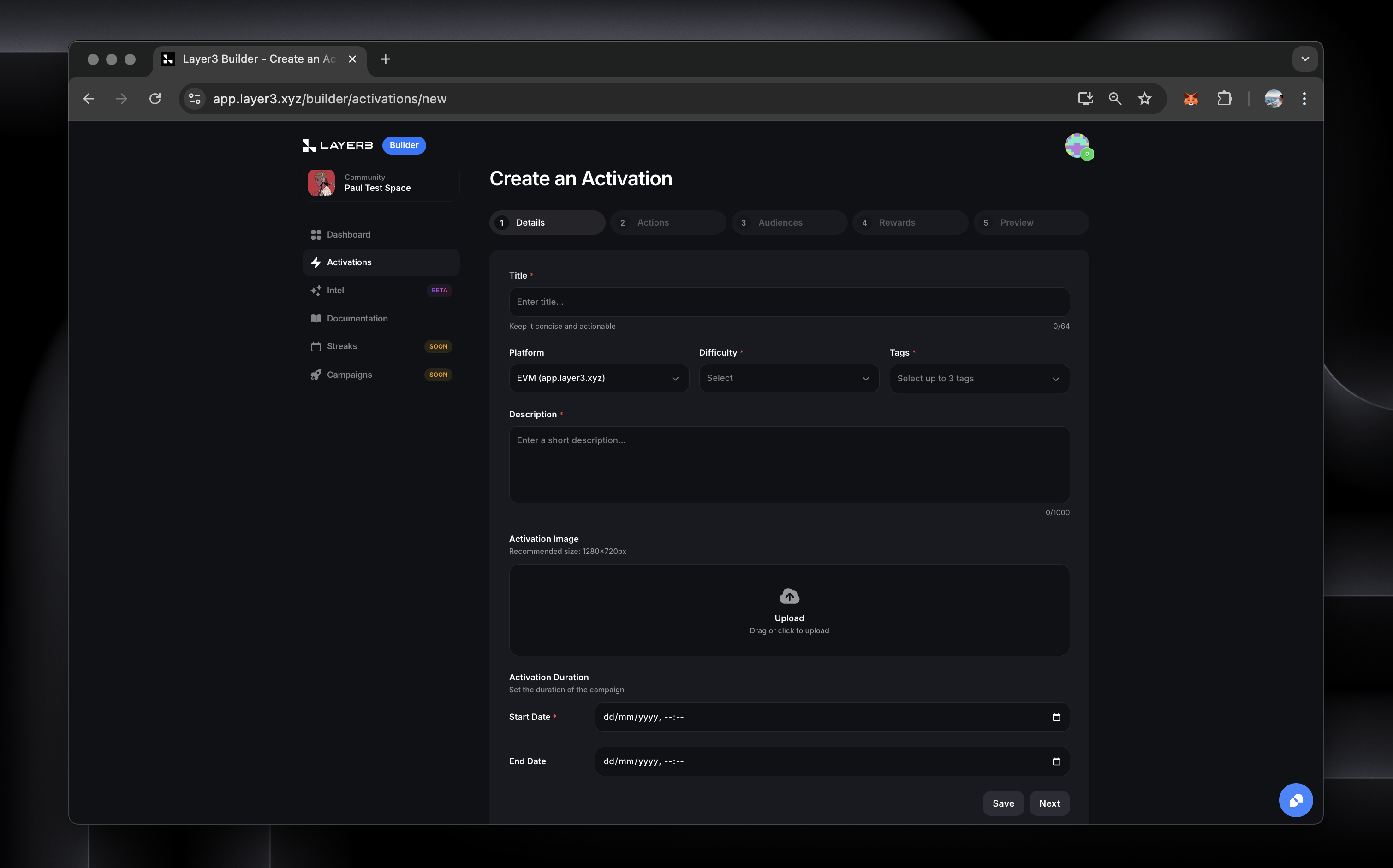
### Step 1: Activation Details
* Navigate to "Create Activation" in your dashboard
* Add your Activation title
* Write a clear description
* Upload an Activation image (keep this relevant)
* Set the Difficulty and Tags (this will show onchain on the CUBE)
* Set your duration and schedule
### Step 2: Define Actions
We recommend starting simple. 1-3 actions at most.
Why not start with this proven template for an introductory Activation:
1. Info Cards (learn about your protocol/app - why should the user care)
2. Quiz (test the user's knowledge before moving them onchain)
3. Onchain Action (verify the user has taken your core action onchain)
**Note:** make sure you understand how to customize how your Actions display
See Action Types Reference for a full breakdown of supported Actions.
### Step 3: Choose Audience
* We recommend Start with "Public" for maximum reach
### Step 4: Set Rewards and your CUBE chain
* XP is automatically assigned based on your Activation config
* Decide what chain to deploy your CUBE credential on
* Add your token rewards. **Every Activation must have an incentive (token, points, NFT allowlist, raffle, etc.) to be approved.**
* **Note** — your Token Rewards and your CUBE credential must be the same chain.
See Token Reward Configuration for more detail
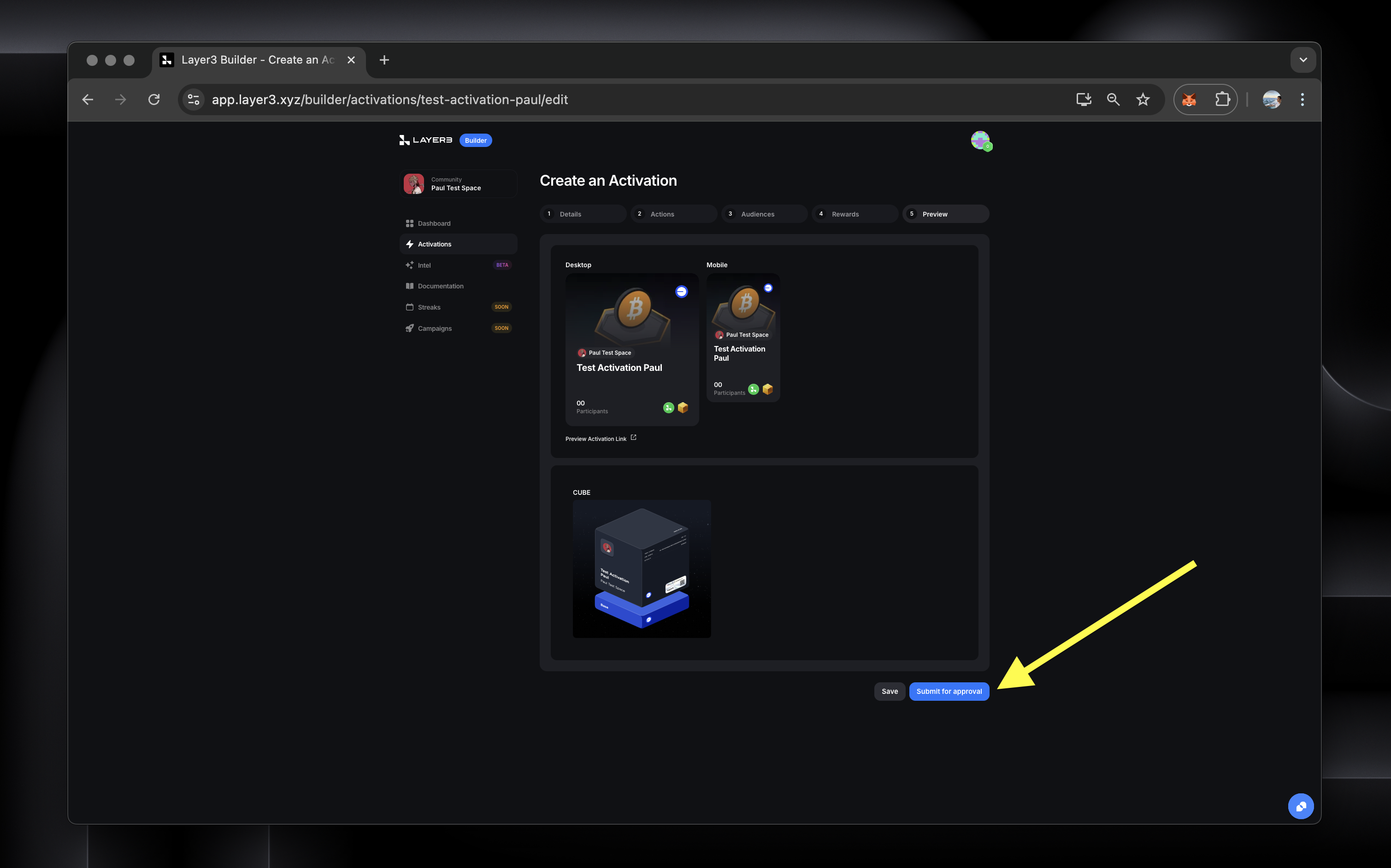
### Step 5: Preview & Launch
* Use preview mode to test your Activation. You can see how it will look from the user-facing platform.
* Submit for review
* Your Activation will goes live within 24h-48h if approved
### Next Steps
* Monitor your Activation performance and completion rates.
* Share your Activation to boost visibility
* Experiment with different incentive designs
* Try more different action and reward combinations