> For the complete documentation index, see [llms.txt](https://layer3xyz.gitbook.io/layer3-updated-docs/llms.txt). Markdown versions of documentation pages are available by appending `.md` to page URLs; this page is available as [Markdown](https://layer3xyz.gitbook.io/layer3-updated-docs/builder/guides/guides--token-reward-configuration.md).
# Token Reward Configuration
### Important Notes
* Each Activation with Token Rewards will have its own escrow (rewards) contract deployed
* Users claim tokens from this contract alongside their CUBE mint (single transaction)
* For budgeting, you will need to have decided the following:
* **Token**: What token you will reward (e.g. USDC)
* **Amount**: How many tokens you will reward (e.g. 0.5 USDC)
* **Participant Cap**: How many users can complete your Activation and claim the reward (e.g. 10,000 Users)
* *For this example, you would need to fund your escrow with 5,000 USDC*
* You do not need to spend any gas distributing token rewards through Layer3
* Layer3 covers the gas for escrow contract deployment and initialization
* Users pay gas for claiming their token rewards
* The UI will take you through this process
***
### Setup Process
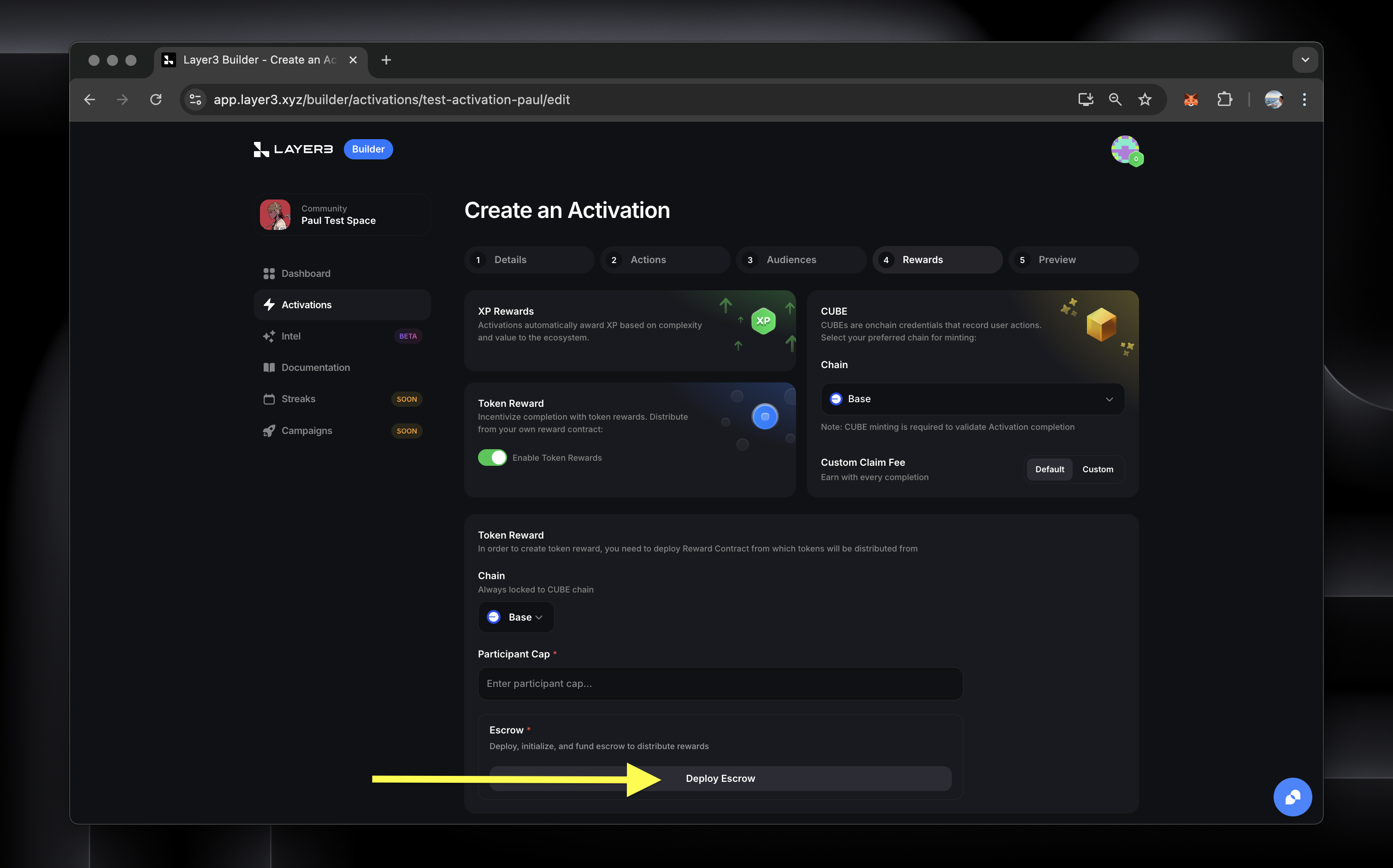
#### 1. Enable Token Rewards
* Navigate to the Rewards tab
* Toggle on "Token Reward" using the switch
* Note: Your token rewards must be on the same chain as your CUBE credential
#### 2. Deploy Activation Escrow
* Every Activation needs its own escrow (rewards) contract
* Click "Deploy" to create this Activation's escrow contract
* Wait for deployment confirmation
#### 3. Initialize Escrow
* After deployment, click "Initialize"
* This prepares your contract for rewards distribution and is required for each new Activation's escrow
* **Note** - you don't need to worry about selecting a token or participant caps before you've initialized the escrow
Once initialized, you will see the address for your escrow. This is where you will send the funds you want to use for reward distribution.
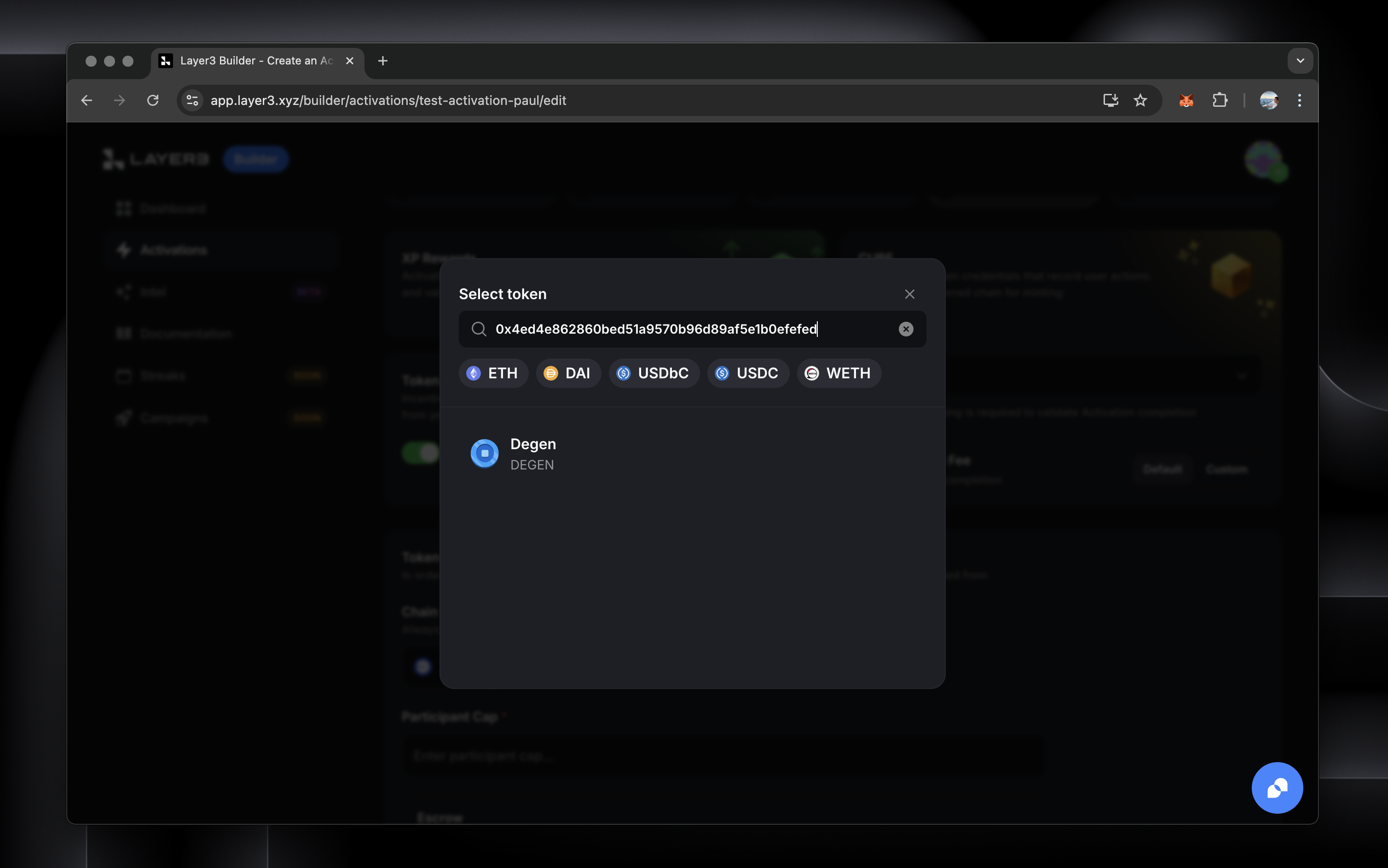
#### 4. Select Reward Token
* Click "Select token" to choose your reward token
* You can:
* Paste a token contract address
* Choose from/search for common tokens (ETH, USDC, etc.)
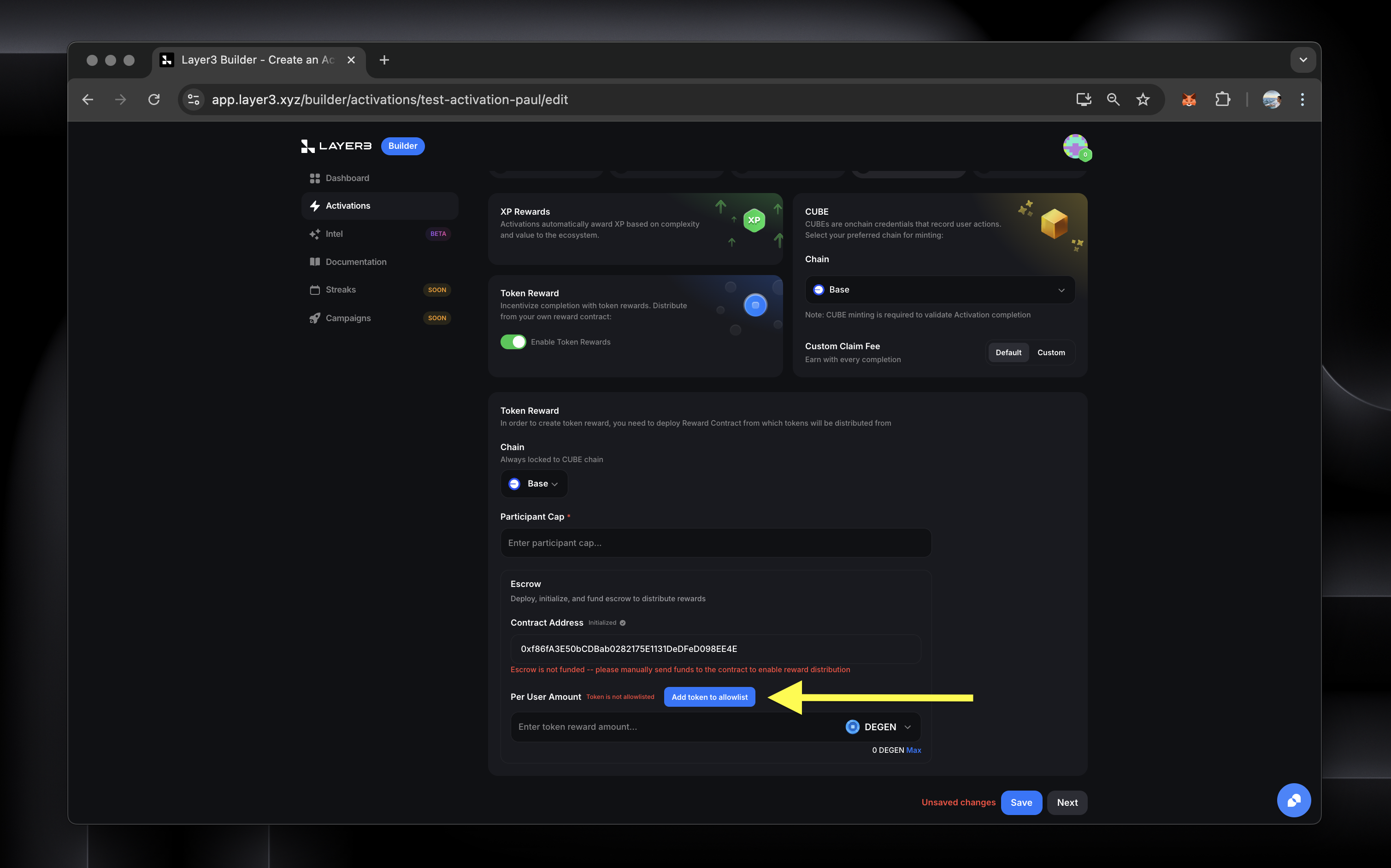
#### 5. Whitelist Your Token
* For security, you will allowlist the token you'll be rewarding in your Activation.
* This essentially authorizes your token for rewards by the escrow contract.
* Click "Add token to allowlist"
* This will trigger an onchain transaction to allowlist your chosen token.
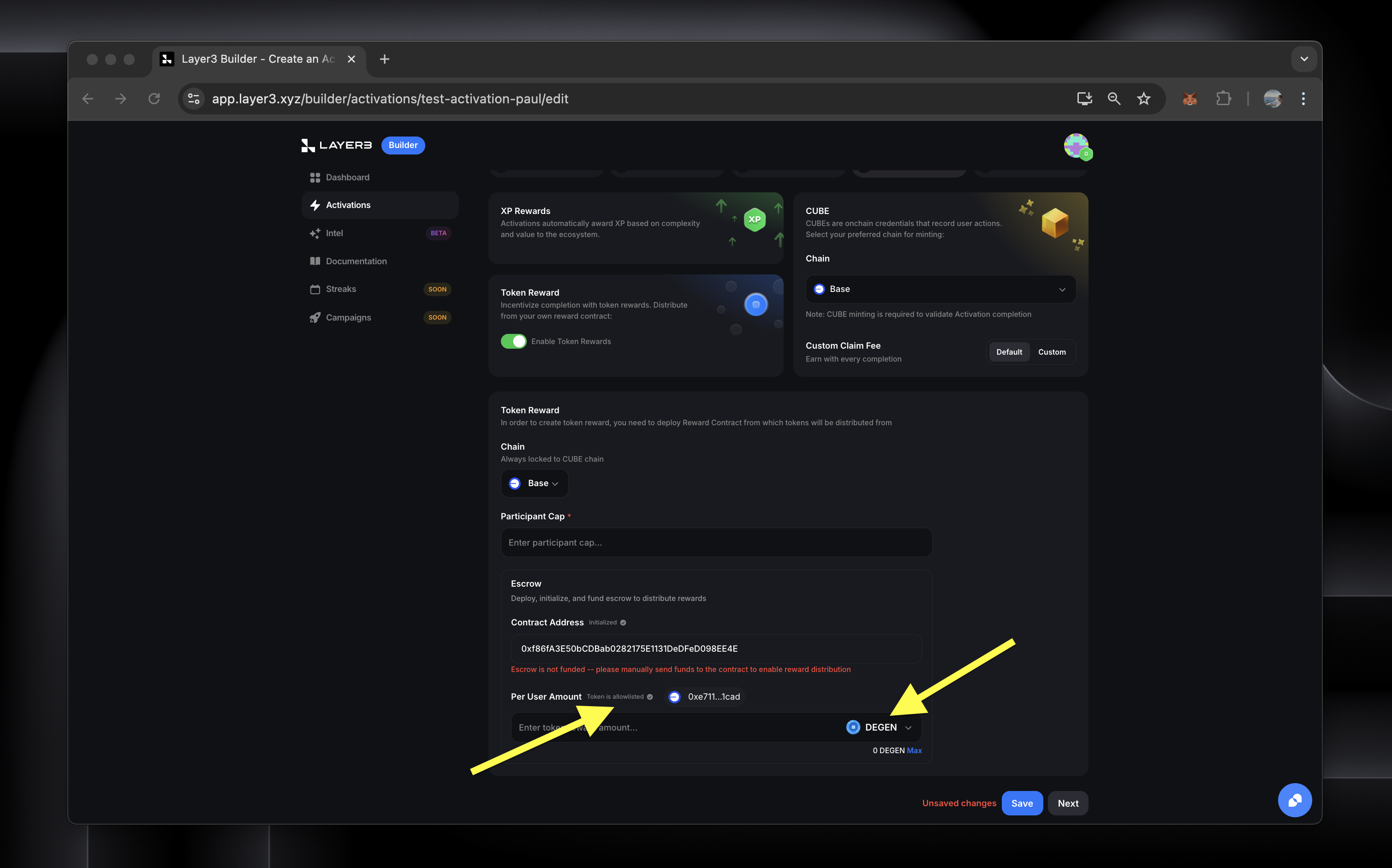
* The UI will update to confirm that your selected token is approved for rewards
#### 6. Configure your Token Distribution
**Set Participant Cap**
* Enter the maximum number of unique participants who can complete your Activation and claim the token reward
* Example: inputting 1,000 here means 1,000 users can complete your Activation
* The Activation will be capped at that number of participants
* This is used to calculate total funding needed (# of participants \* Token Reward Per User)
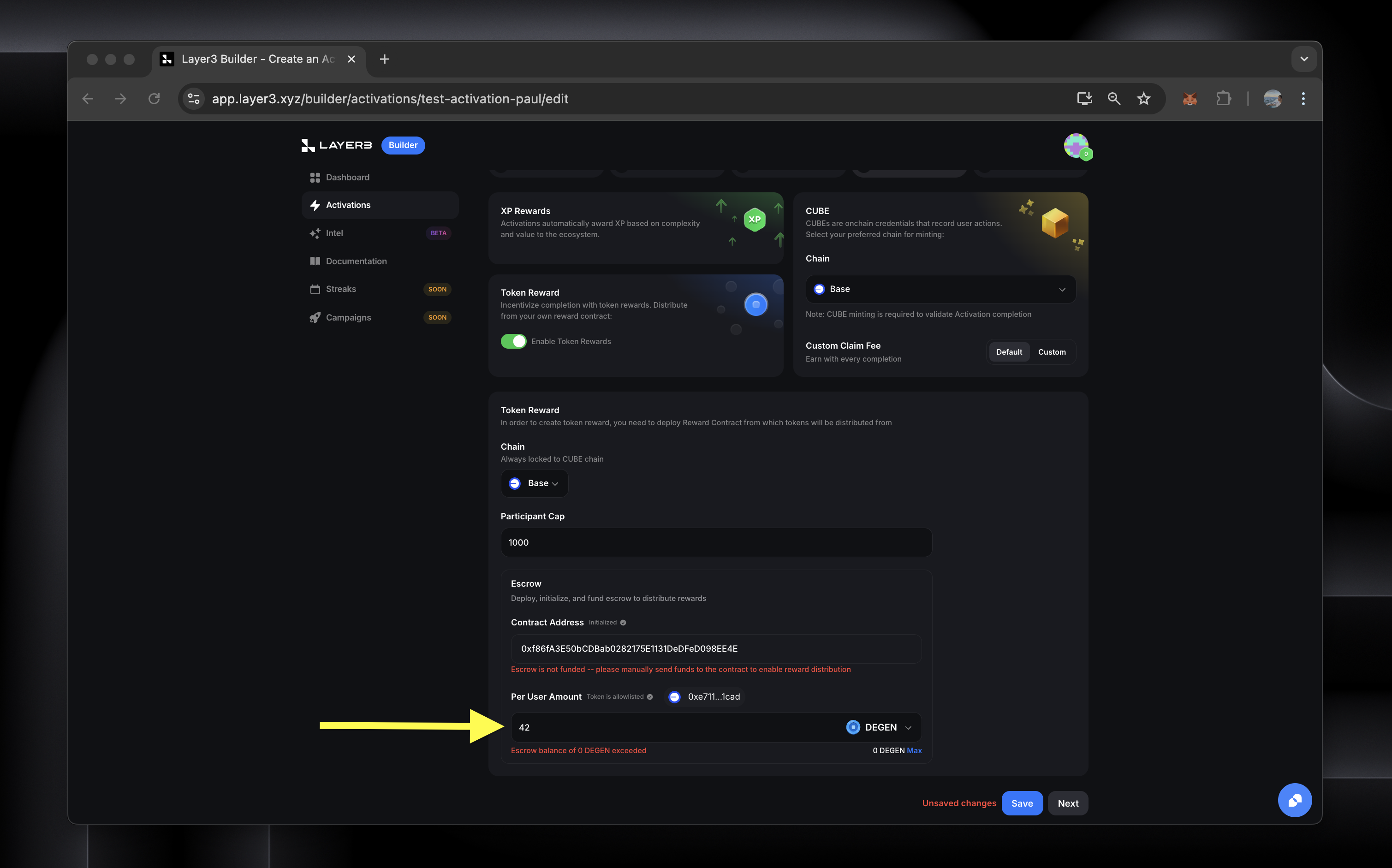
**Set the Per User Reward Amount**
* Enter how many tokens each participant who completes your Activation receives
* E.g. in the below example, we are rewarding 42 DEGEN tokens to a max of 1,000 participants
* This means you would need to fund your escrow with 42,000 DEGEN
* This escrow is not yet funded so the UI shows the balance would be exceeded
#### 7. Fund Your Activation Escrow
* Copy this Activation's escrow contract address from UI (or the block explorer link)
* Send enough tokens to cover total rewards **(make sure to do so on the right blockchain)**
* UI will show your current balance
* You can send a test transaction of 1 token first to be sure
Save your configuration once it's ready.